
 by
by By Sadie Wehunt
In college, you will have a lot of opportunities to create work for your portfolio. Your portfolio is a tool that reflects your skills while also communicating how you think as a creative. However, many portfolio websites come with an expensive price. I’ll be walking you through an affordable and easy way to build a beginner online portfolio.
- Make a Canva Account
To start, you’re going to need to open your web browser and download Canva. Create an account using your email. The free plan gives you access to many design resources.
- Pick a Template
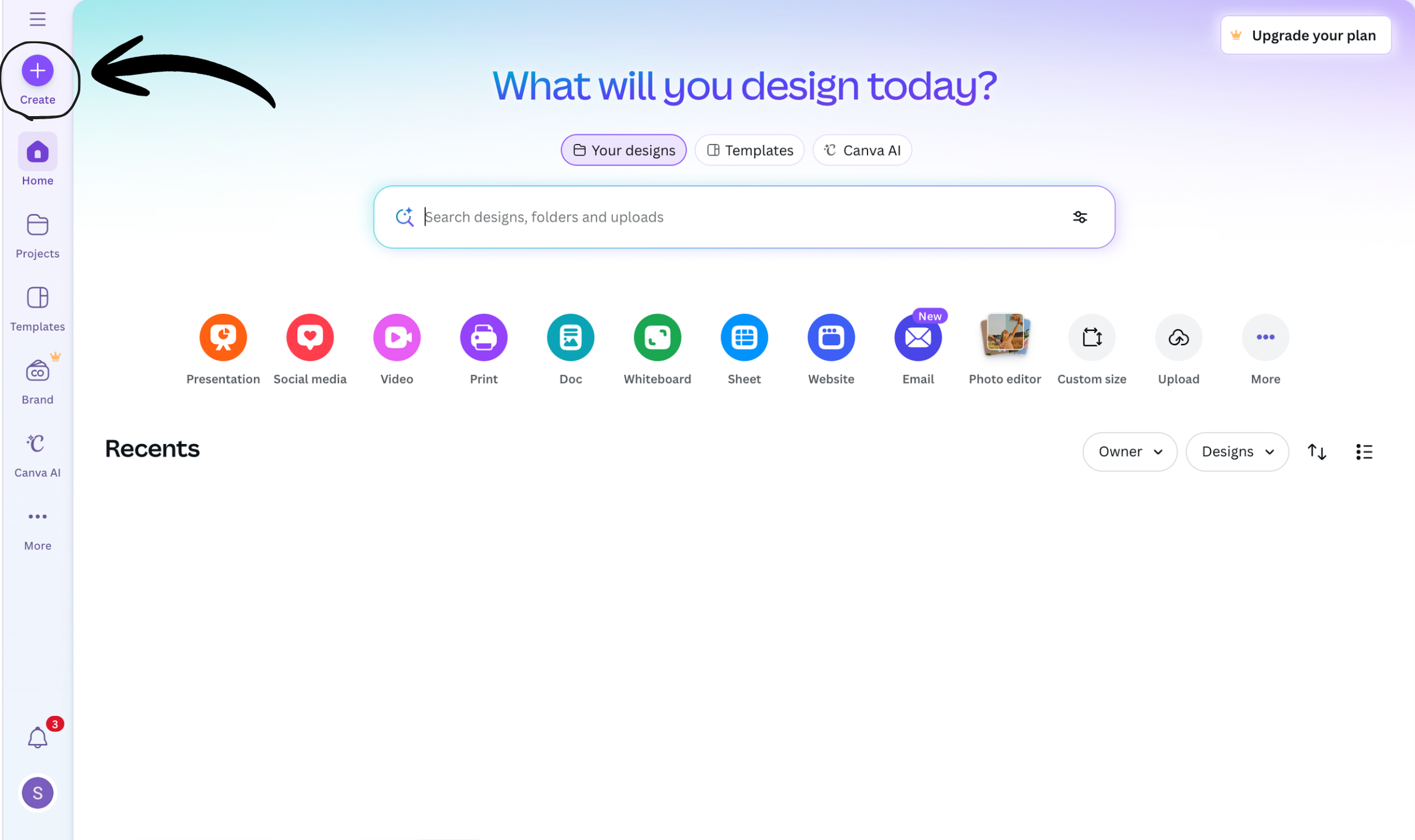
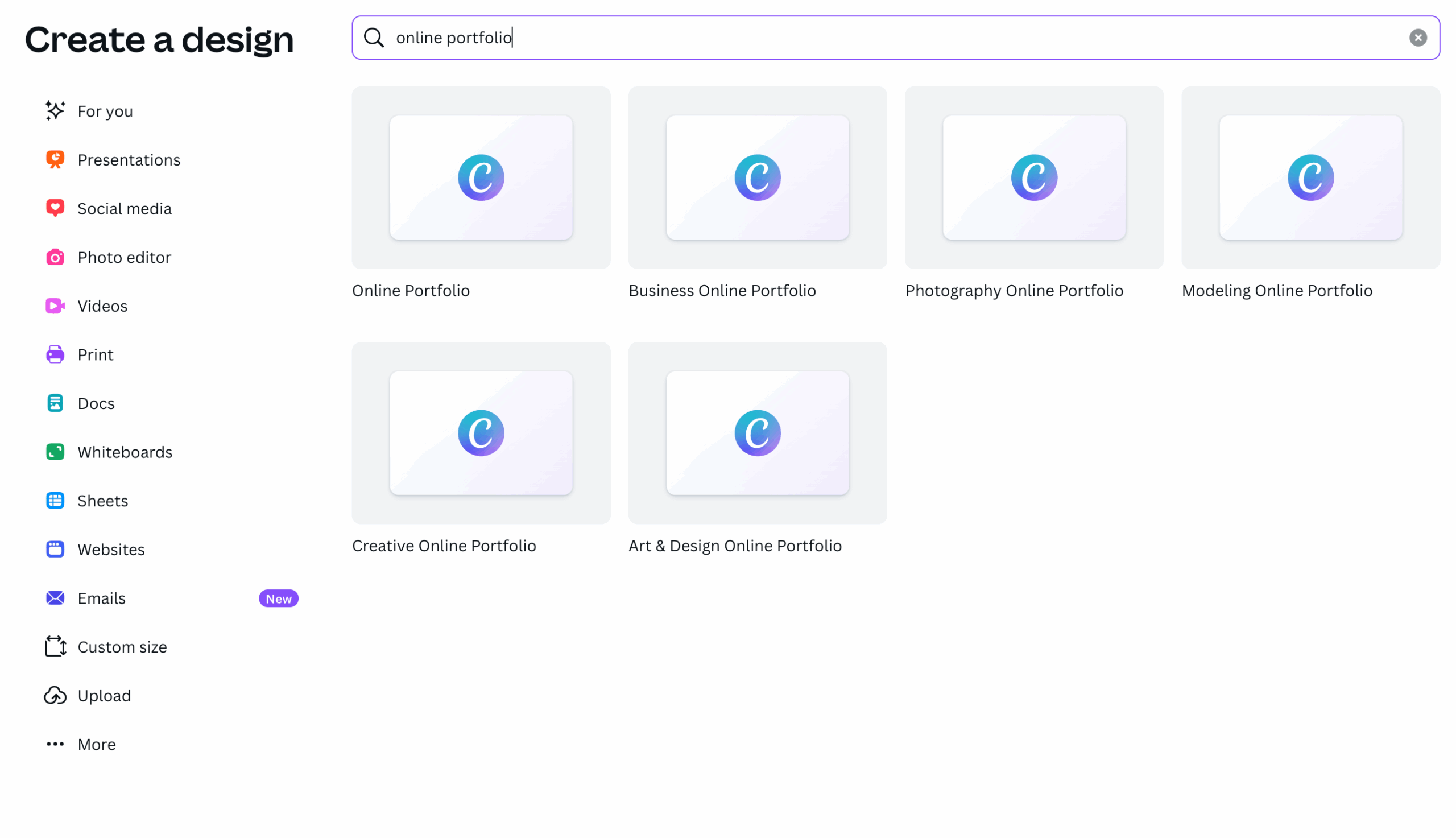
Once you’ve made your account you will be directed to the homepage. From the homepage, navigate to the left bar panel and select “Create.” This should be at the top of the panel. Next, enter “Online Portfolio” into the search bar and select the option that best suits your interest. Once you’ve clicked an option, you will be redirected into your project space. A new left side panel will appear. Select “Design,” at the top of this panel and scroll through the template options.
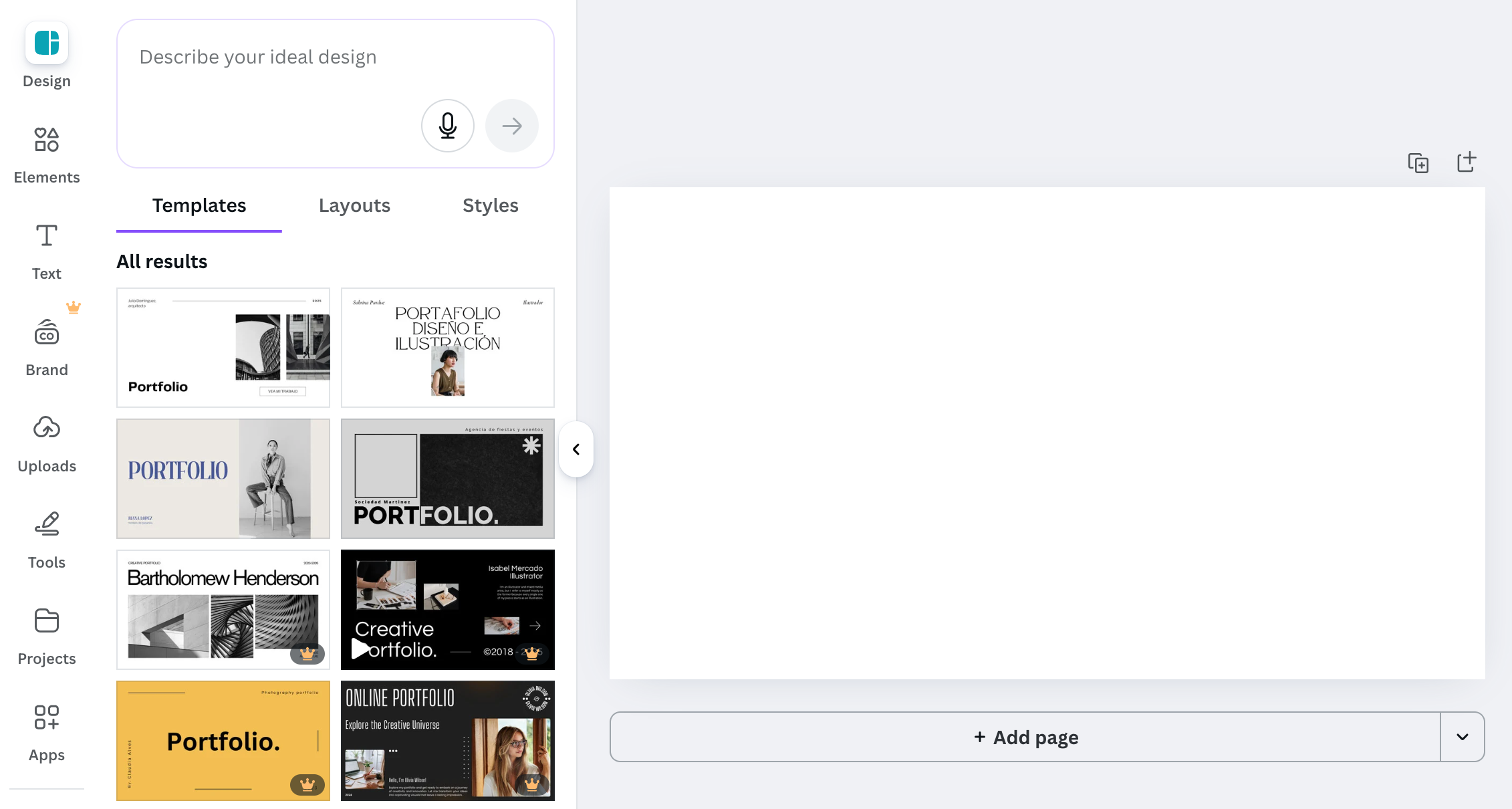
When picking a template, you may want to think about the specific career interests you want to pursue. If you’re interested in graphic design, pick a template that allows you to showcase these skills through layouts and visuals. If you’re interested in copywriting, you might want to pick a template that has strong typography. Most importantly, pick a template that resonates with you. Remember, you will be able to rearrange elements, change fonts, and alter the colors of the original template you choose.
- Create a Home and About Me Page
Next, you’ll make the first two pages of your portfolio. These pages will be your first impression to those looking at your portfolio. For the homepage, make sure you clearly state your name and classify your current major or job role. For the “About Me” section, include a professional photo of yourself and a short introduction of who you are. Make this unique to you by tying in where you’re from and how your interests and hobbies have influenced your career interests. Essentially, you want to make sure that your passions and career goals are displayed in a compelling, but concise manner.
- Add a Projects Overview Page
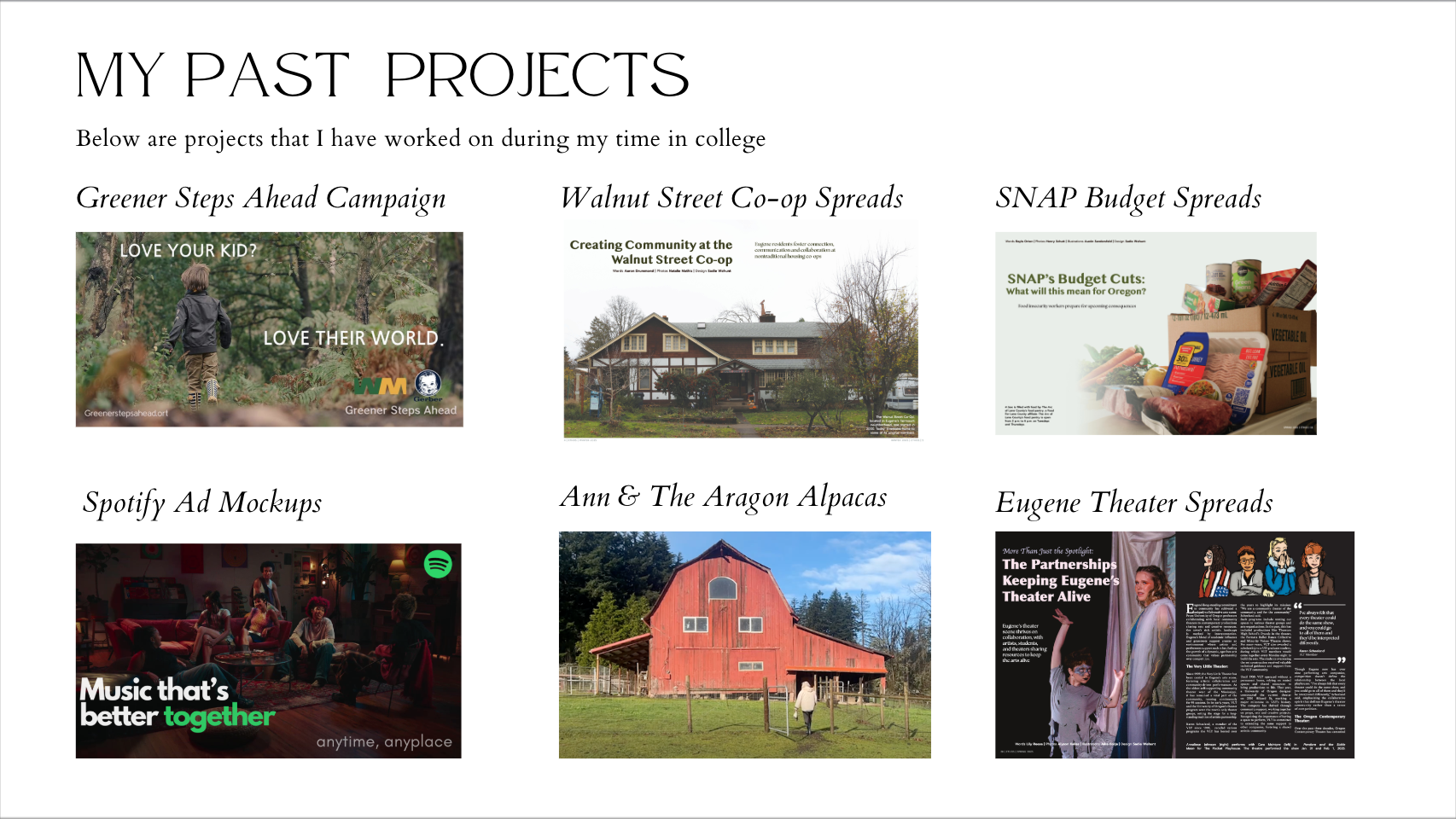
The next page you will build is an overview of your projects. Focus on 2-6 projects that you feel demonstrate your strongest work. This can include class projects, brand audits, mockups, passion projects, photography, writing samples, and more.
- Highlight Each Project
Next, you’re going to want to highlight these individual projects. For each project include a new slide. On these slides include the project name, your client, and the creative team behind the work. For example, if you’re highlighting a class project you can put the class name as the client and your group members as the creative team. Next, you want to write a description of this project. For this, you can explain your task, the problem you solved, and your goals for the project. Then you’ll want to briefly explain your creative process. Lastly, explain your outcome and the skills you grew.
- Add Resume and Contact Info
After highlighting your projects, it’s time to add your resume and contact information. On Canva, you can embed the link to your resume so recruiters can download it. You can also upload screenshots. For contact information, you can list your phone number, email, and embed a link to your LinkedIn.
- Make Your Portfolio Accessible
Once you have these components organized in a way personalized to you, you can make your portfolio public. On the top right corner, there will be a “Share” button. Once you’ve clicked this button there will be an option for you to change the access level. Switch this to “Anyone with this link.” There will also be an option for you to download your portfolio at the bottom of this panel.
- Keep Your Portfolio Updated
Lastly, make sure you keep your portfolio updated. As you evolve as a creative, you will have more insights and experiences to reflect on.
Connect with me:




Hi Sadie! I really liked your post — you explained the process of building a portfolio in such a simple and approachable way. Canva can feel overwhelming at first, so I appreciated how you broke everything down step-by-step. Your advice about choosing a template based on your specific career interests was super helpful, and I loved the reminder that portfolios should reflect your personality as much as your work. This made the whole idea of creating a portfolio feel a lot less intimidating.